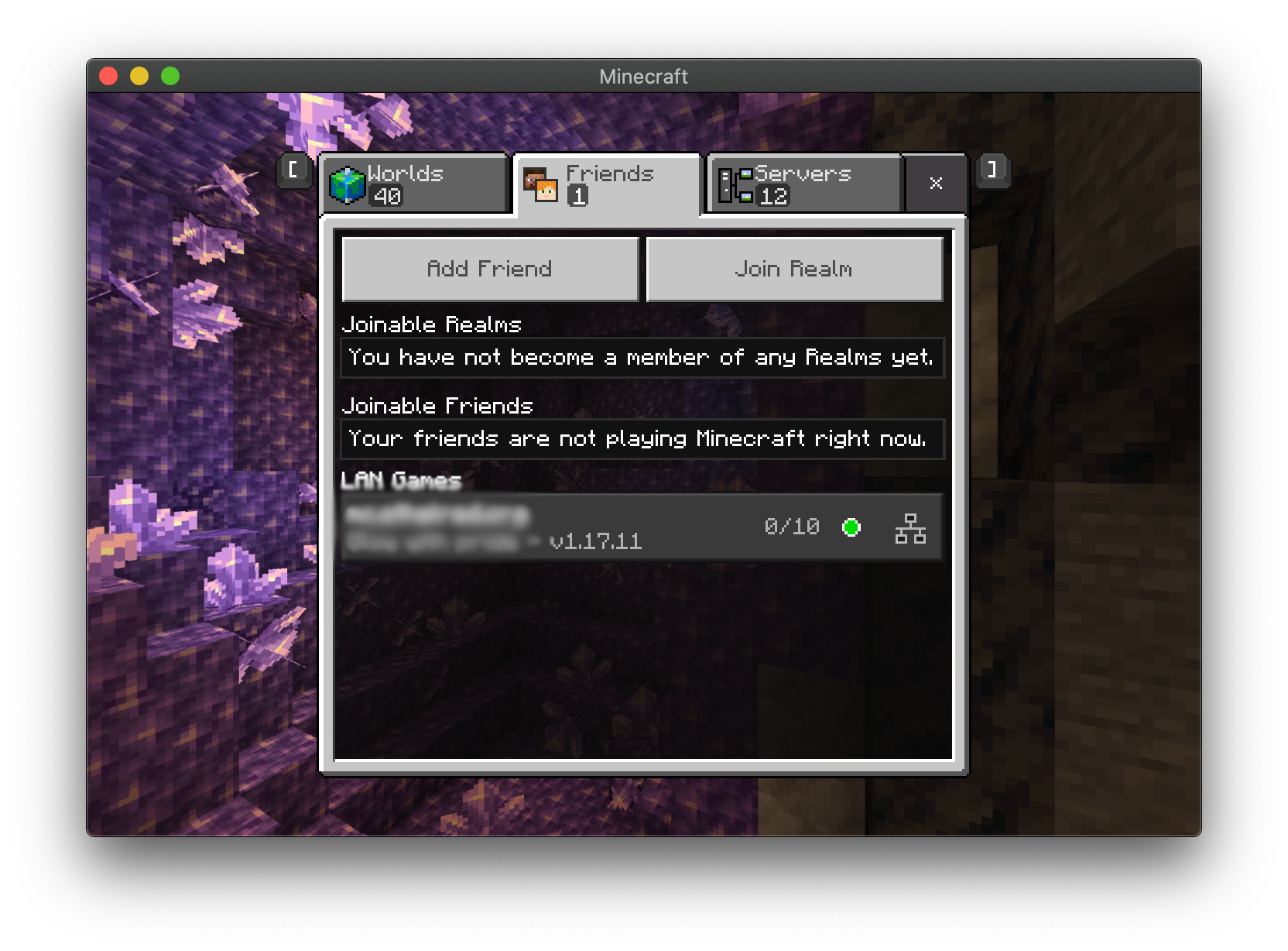
Playing with Friends
One great feature of Minecraft is playing together with friends. Kids act out their imaginary stories or figure out how to cooperate on big building projects.
LAN play
The simplest way to do multiplayer, but also requires everyone to be in the same place! As long as the players are running the same edition and are on the same local network e.g. all connected to your home WIFI, their devices can ‘see’ each other and join the same game. This method does not require login accounts.
Bedrock Edition - Microsoft Account
To do online multiplayer in Bedrock Edition the player will need a Microsoft account to log in with. For your kids, the best way to do this is using ‘Microsoft Family’. You will need different email addresses for the parent and for each child.
1. Create a parent account.
Go to https://account.microsoft.com/ and log in with your existing account if you have one, or create a new account.
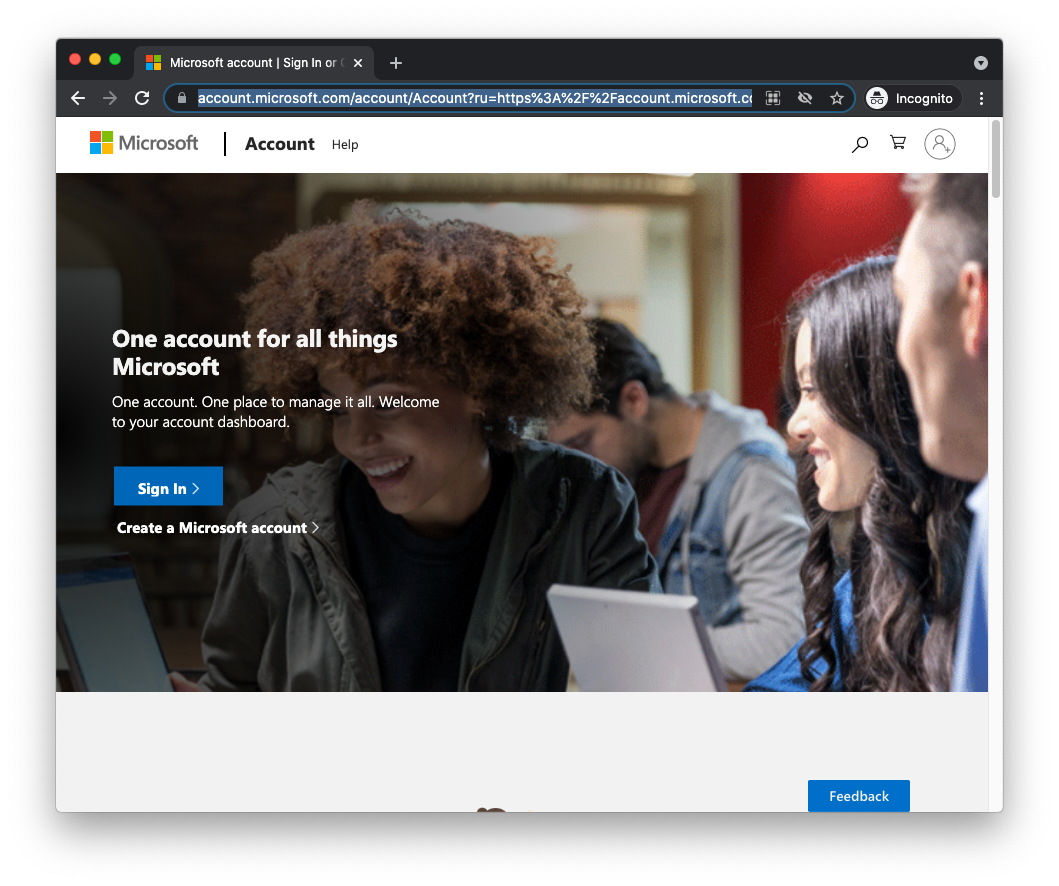
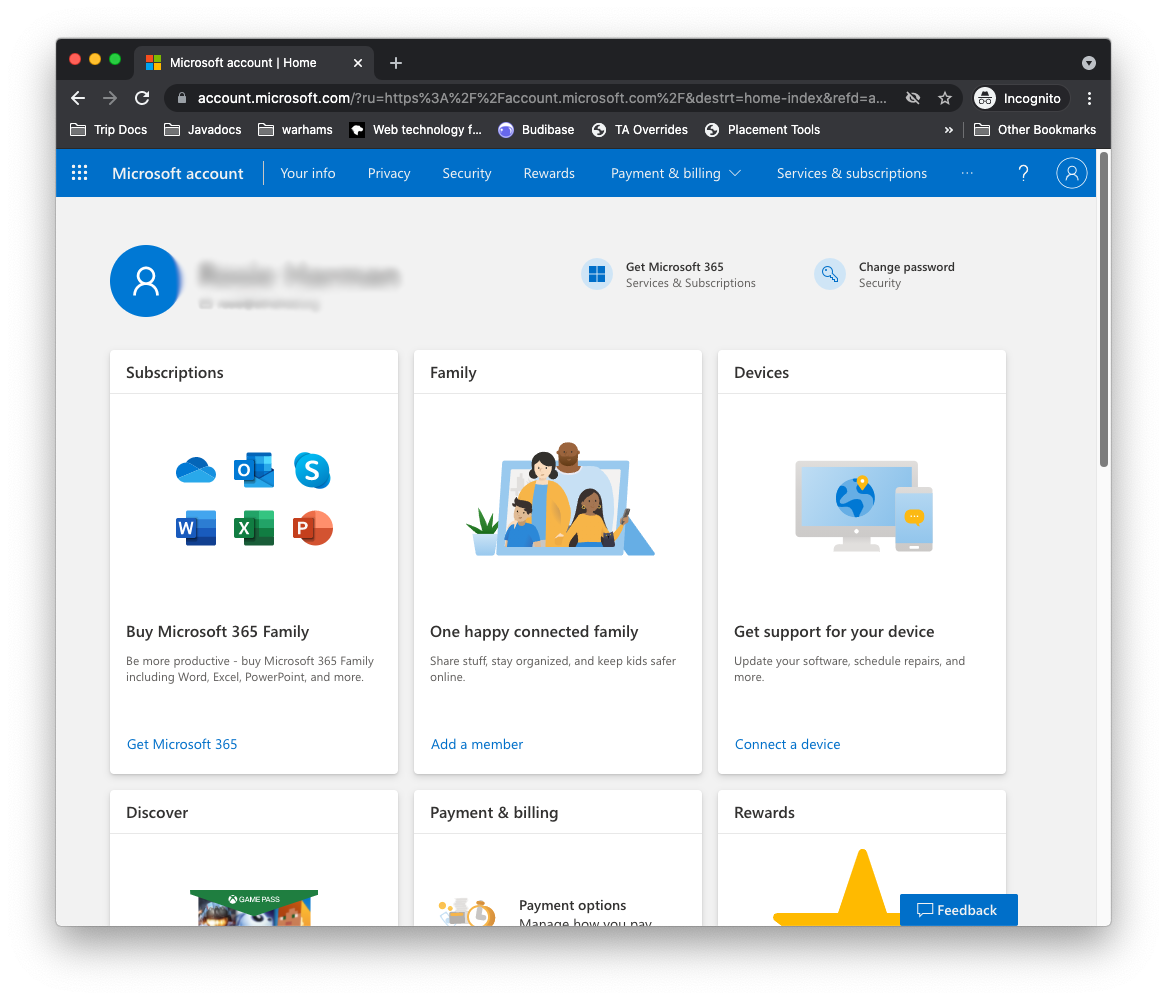
2. Add Family member.
If you don’t have any ‘Family’ members yet, find the ‘Family’ section and choose ‘Add a member’.
If you do have Family set up, follow ‘View your family’, then the ‘+’ to add another member.
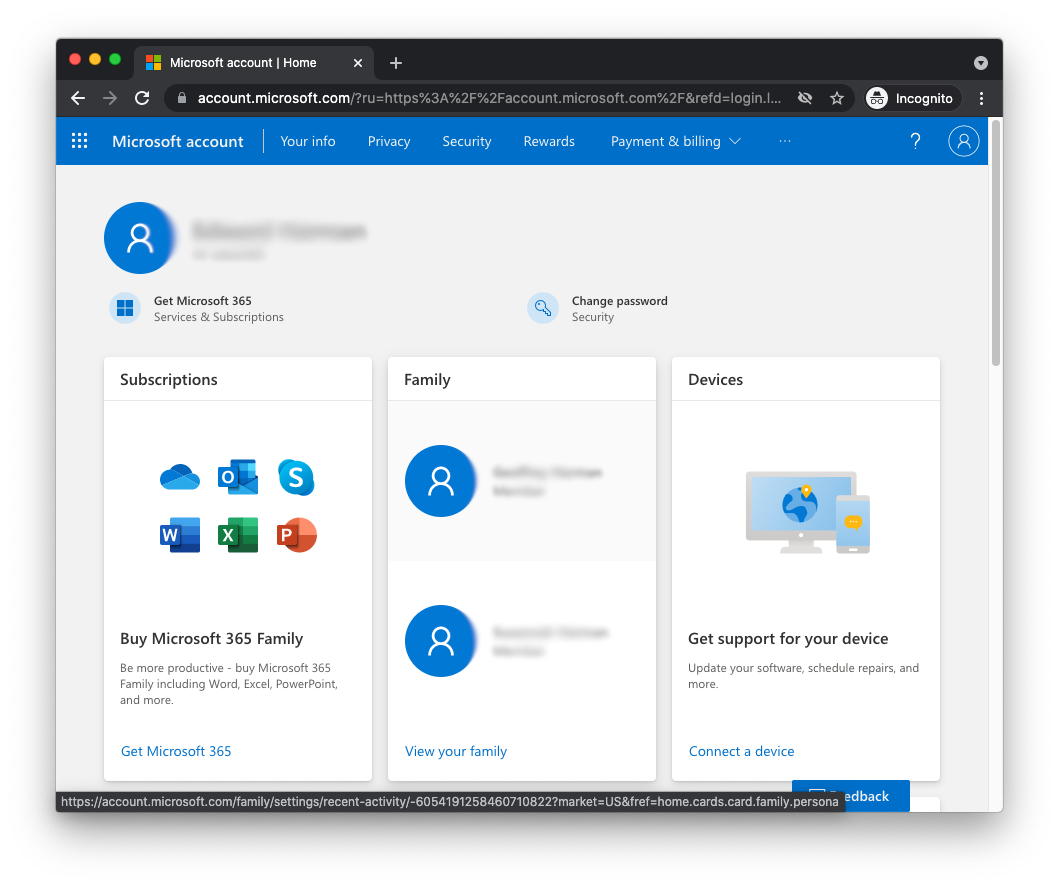
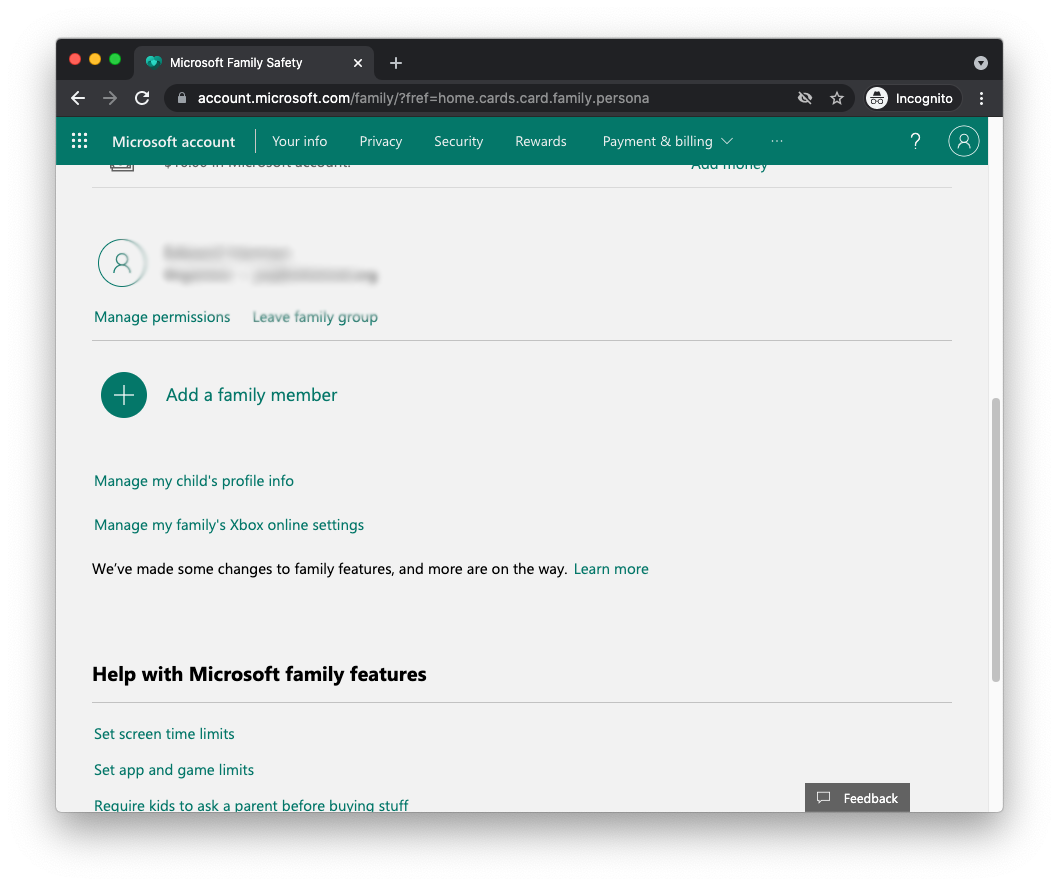
Follow the prompts to create an account for your child.
3. Set Xbox online permissions.
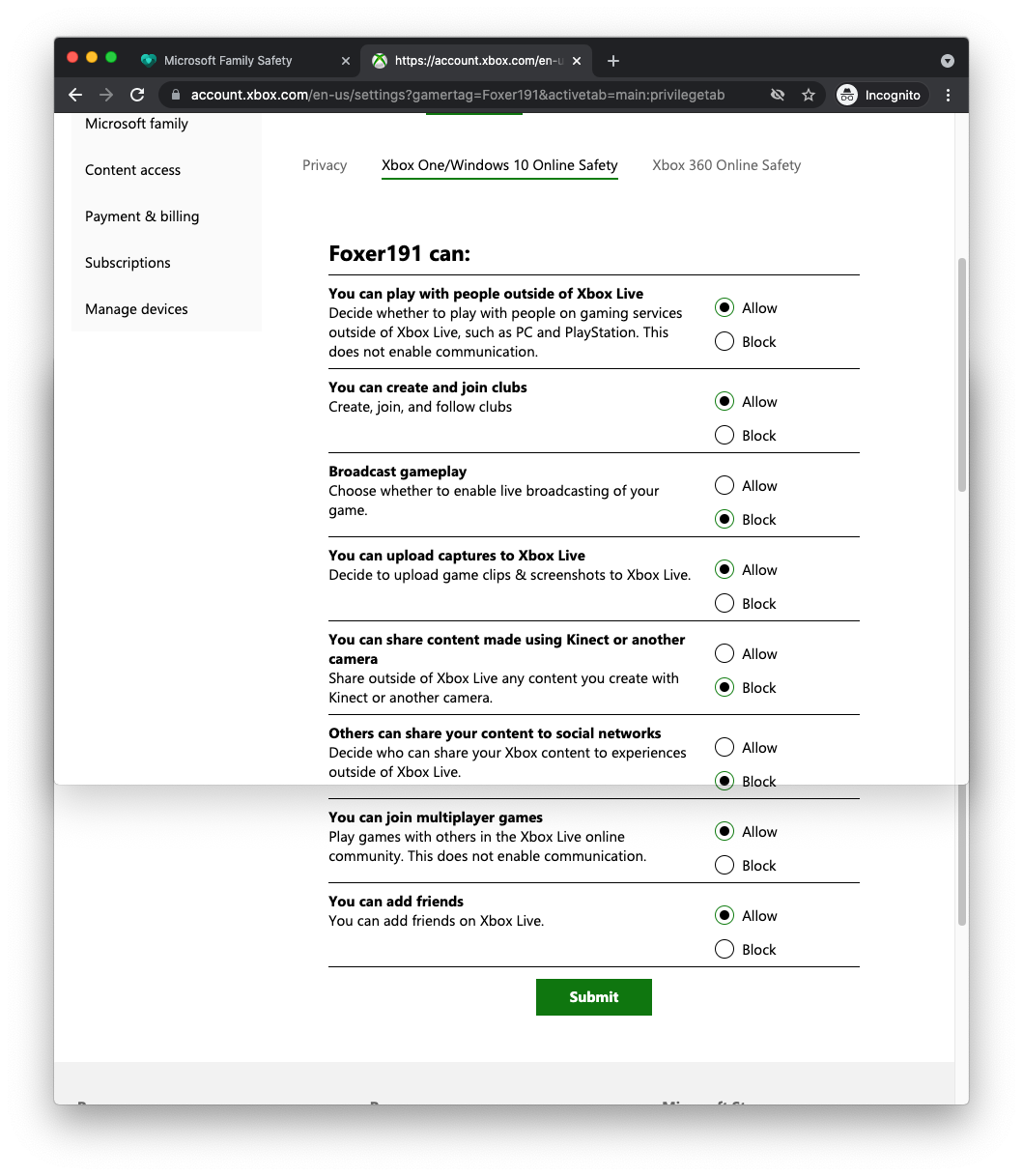
From the family page, follow ‘Manage my family’s Xbox online settings’. Choose your child’s account name near the top. Choose ‘Xbox One/Windows 10 Online Safety’.
These are the settings I have for my son’s account to play Minecraft online:
4. Add friends.
Log out from your Microsoft account. Log in to https://account.xbox.com/ using your child’s account. Click on the ‘Profile’ link at the top.
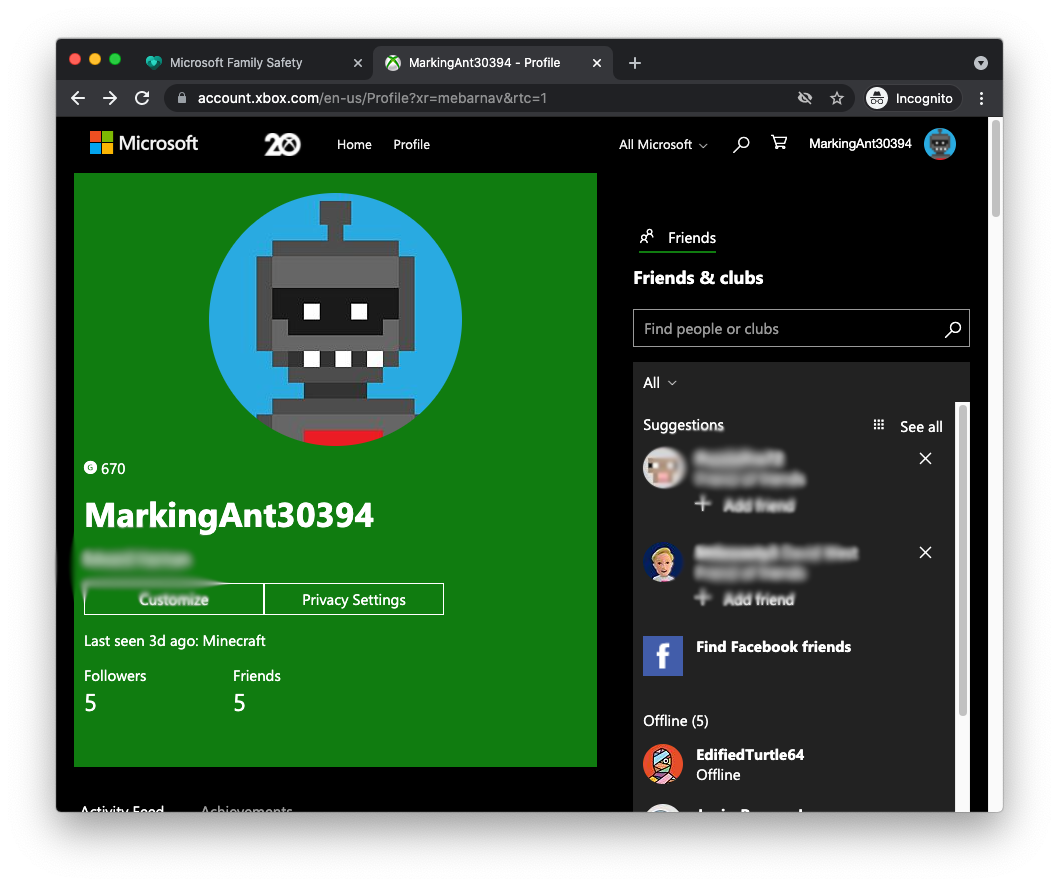
From this page you can search for your child’s friends and add them.
5. Log in to the account in Minecraft
When your child runs Minecraft, help them sign in using their account. There’s a Sign In button on the bottom left of the main screen.
Bedrock Edition - Online Friends
Once your child is signed in on Minecraft and has connected with friends, they can go to the ‘Friends’ tab and if any friends are playing at the moment, their world will be listed and can be joined.
(I took a screenshot when no friends were online, I’ll change it later)